Create and Configure Project
Set up your repository, build pipeline, and domain in Dokploy.
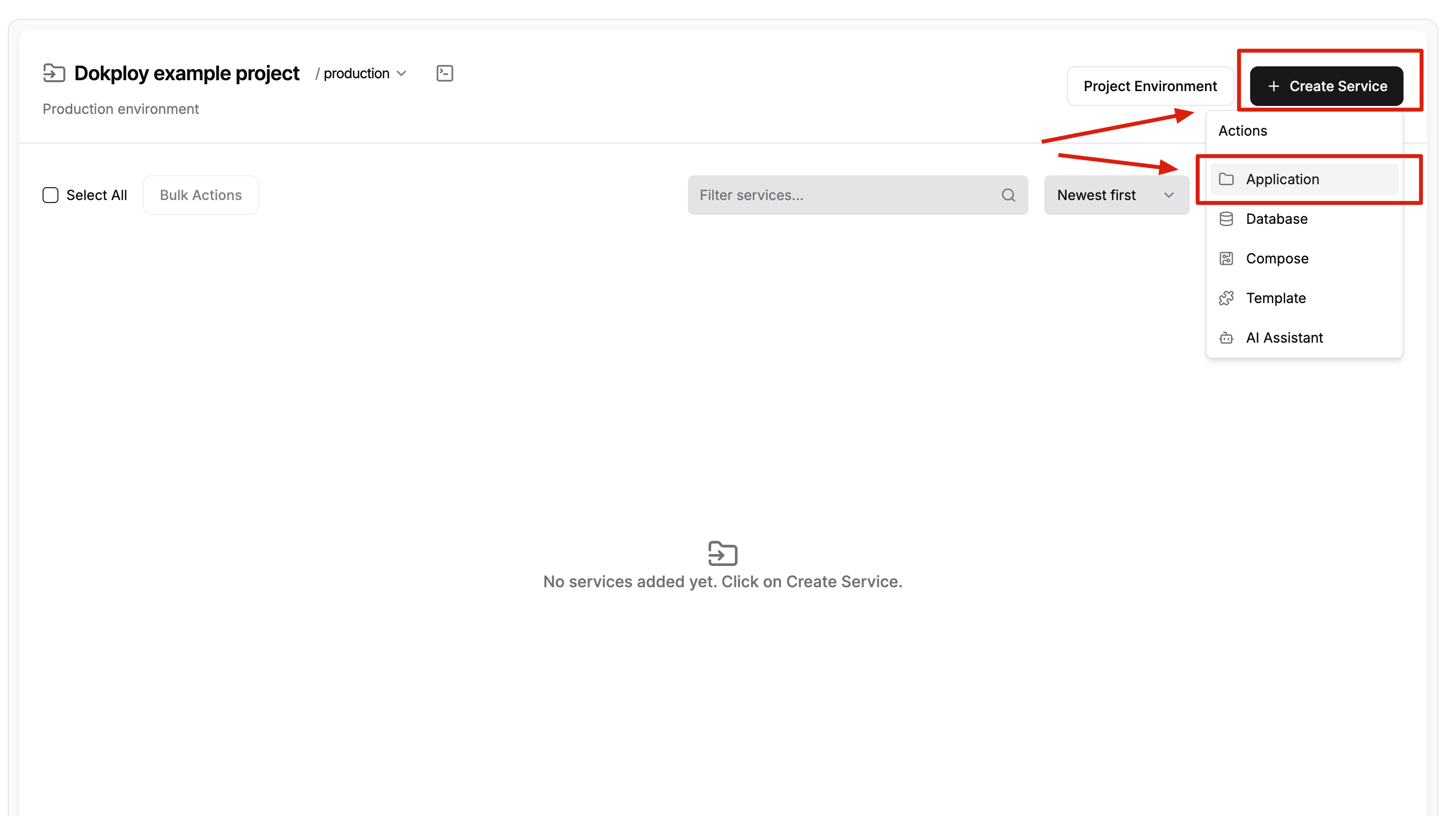
Go to Project → Create project and create an Application service:
Repository Configuration
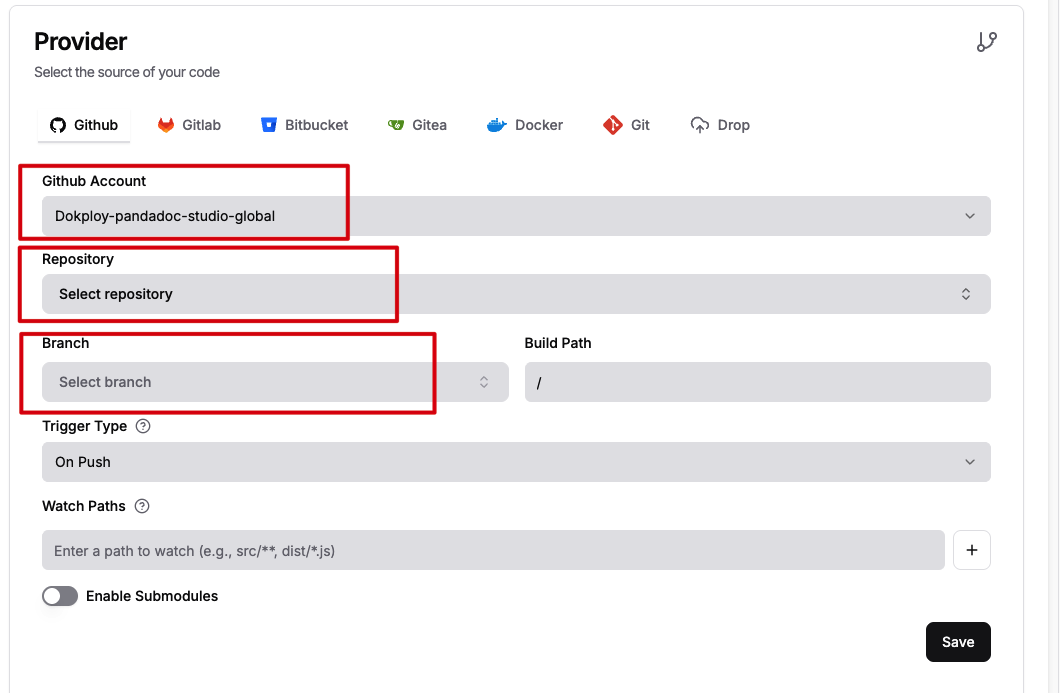
Open the application and configure your repository:
- GitHub account — Chose Dokploy-pandadoc-studio-global shared application
- Repository — your application repository
- Branch — the branch you want to track
Click Save.
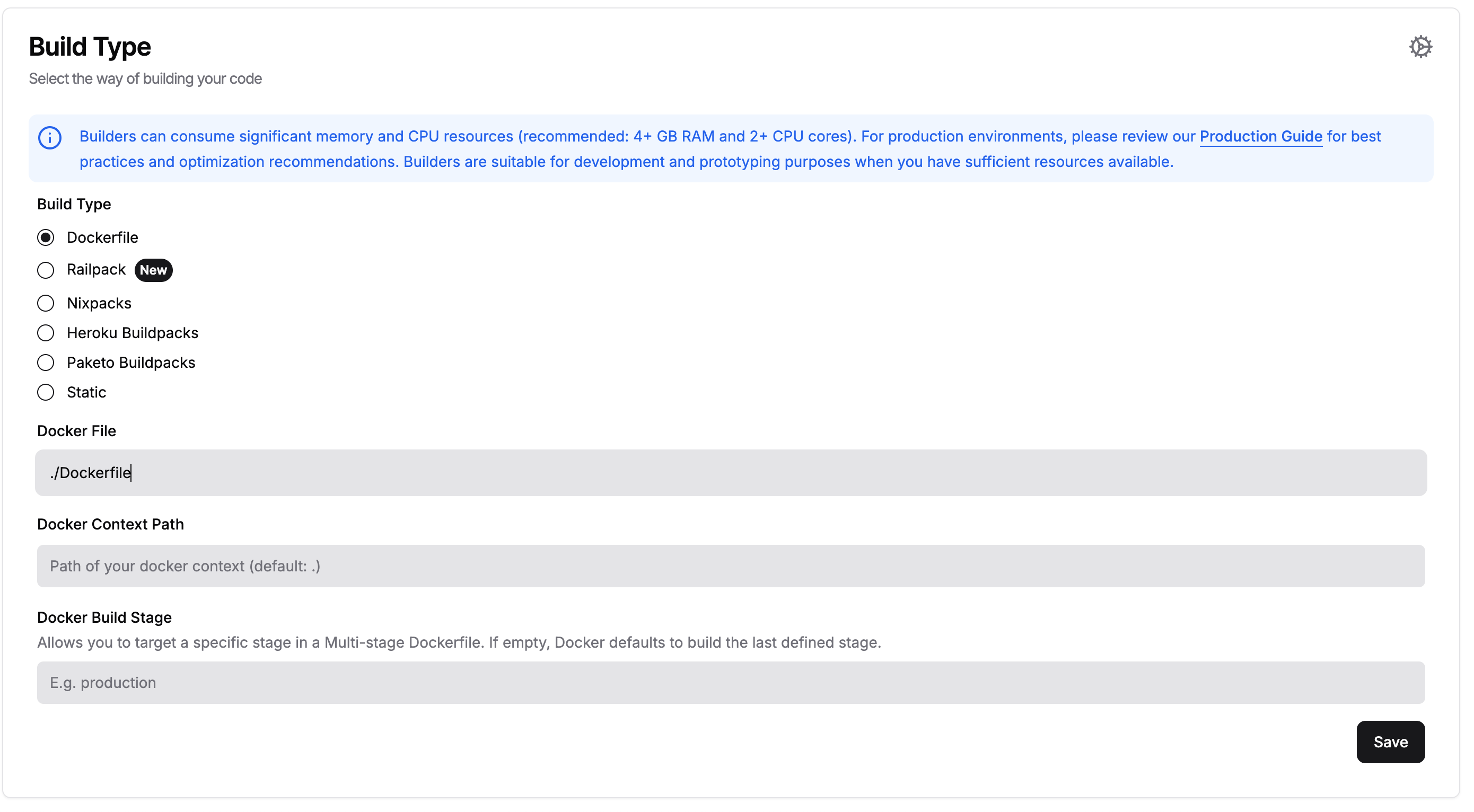
Build Configuration
Select Docker as the build type and provide the path to your Dockerfile. Click Save.
Domain Configuration
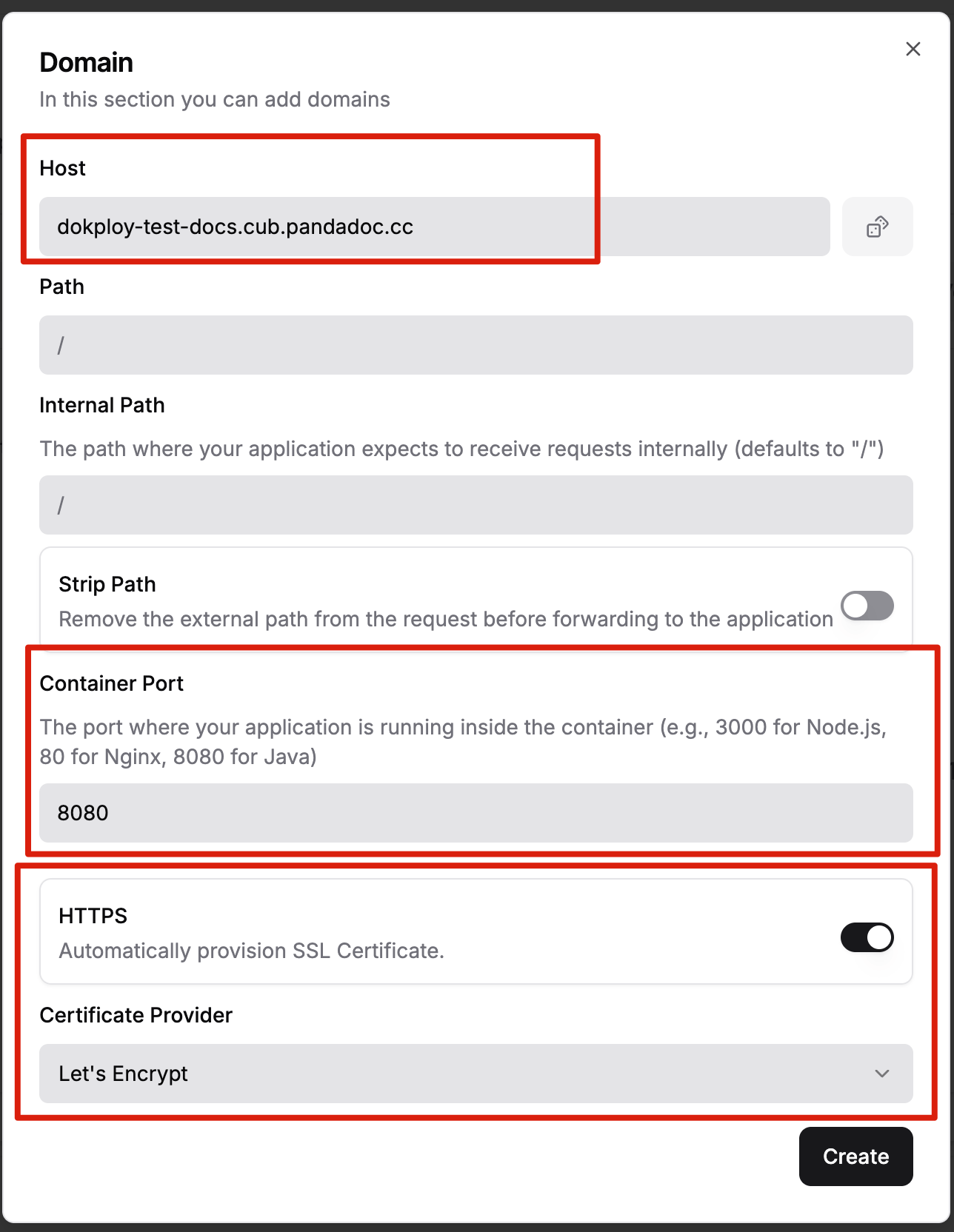
Go to the Domain section and click Add domain:
- Domain — any subdomain in the
*.cub.pandadoc.cczone - Port — the port your Docker container exposes
- Enable HTTPS with Let's Encrypt for automatic SSL
Click Save.